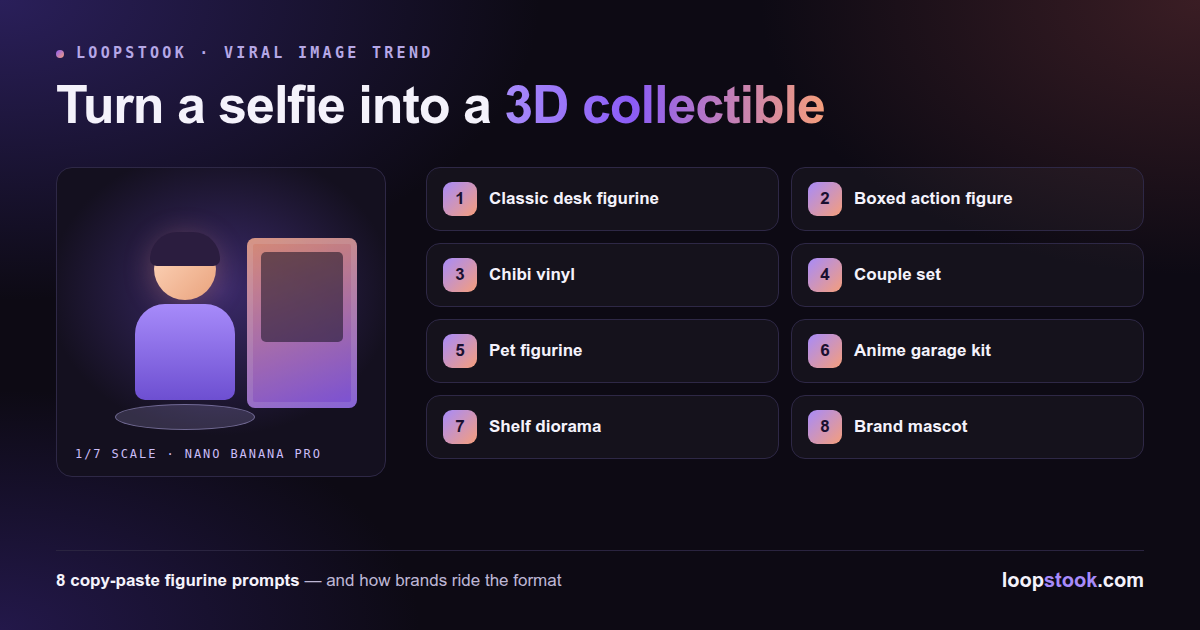
The AI figurine trend turns a selfie into a photorealistic 1/7-scale collectible — displayed on a desk, sealed in toy packaging, or posed beside its own design software — using an image model like Nano Banana Pro. Upload one clear photo, paste a figurine prompt, and you get a product shot of a toy version of yourself in under a minute.
The format has been all over Instagram because the results look like real merchandise photography, complete with acrylic bases and printed boxes. Here's the exact workflow, eight prompt variations, and how brands are borrowing the format for reach.
What Is the AI Figurine Trend?
It's a selfie-edit format where an image model re-renders you as a collectible figurine inside a believable product scene. The signature version — a "1/7 scale commercial figurine" on a computer desk, with the sculpting software open on the monitor behind it and a toy box alongside — is what made the trend explode.
Those production details are the trick. A toy version of your face alone looks like a cartoon filter; a toy version of your face with packaging, a base, and studio lighting reads as a photo of something that exists. The trend rewards prompts that treat the figurine as a product, not a portrait.
Google's Nano Banana model family powers the viral versions because it preserves identity — the figurine's face actually matches yours. You can run Nano Banana Pro directly in the browser on LoopStook, no Gemini workarounds needed. (For the saree and retro trends from the same model, see our Nano Banana viral trends prompts.)
How Do You Turn a Selfie Into a Figurine?
Four steps: pick a sharp, front-facing photo in even light; choose one prompt variation below; add an explicit face-preservation instruction; then generate two or three runs and keep the best likeness. The whole loop takes a few minutes and costs cents per attempt.
- Choose the photo. Front-facing, unfiltered, good light, shoulders visible. The model can only preserve facial data it can see.
- Pick a scene. Desk, boxed, chibi, couple — the variations below. One scene per prompt; mixing scenes muddies the render.
- Lock the face. End every prompt with "preserve the exact facial features of the person in this photo." It measurably improves likeness.
- Generate and select. Likeness varies run to run. On LoopStook, Nano Banana Pro costs about $0.26 per image, so generating three and keeping one is still under a dollar.
Then write the caption before you post — the trend performs best with a one-liner about "getting the collectible treatment." A free AI caption generator will give you options in seconds.
What Are the Best Figurine Prompt Variations?
Eight variations cover the whole trend: the classic desk figurine, the boxed action figure, chibi, couple and pet versions, an anime-style kit, a diorama, and a brand-mascot angle. Paste them as-is; every one assumes you've uploaded a reference photo.
1. Classic desk figurine
Create a 1/7 scale commercial figurine of the person in this photo standing on a round transparent acrylic base on a computer desk. Behind it, the monitor shows this figurine being sculpted in 3D modeling software; beside it, a printed toy box with the figurine's artwork. Realistic product photography, shallow depth of field. Preserve the exact facial features of the person in this photo.
Turn the person in this photo into an action figure sealed in blister packaging: clear plastic bubble, bold cardboard backing with their name as the toy line, and molded compartments holding accessories — a laptop, coffee cup, headphones, and phone. Retail shelf lighting, photorealistic. Preserve the exact facial features of the person in this photo.
3. Chibi style
A chibi-style vinyl figurine of the person in this photo: oversized head, tiny body, glossy finish, standing on a pastel display shelf between other blind-box toys. Soft even lighting, cute collectible aesthetic. Keep the face clearly recognizable from the photo.
4. Couple figurines
Two 1/7 scale figurines of the two people in this photo, posed together on a single acrylic base as a matched collector set, with a shared display box behind them showing both characters' artwork. Warm desk lighting, product photography style. Preserve both people's exact facial features.
5. Pet figurine
A collectible figurine set of the person and the pet in this photo: the person figurine kneeling beside a miniature figurine of their pet on one base, with a toy box behind showing them together. Realistic paint detail on fur and clothing. Preserve the exact facial features and the pet's real markings.
6. Anime garage kit
The person in this photo as an anime-style resin garage kit figurine on a hobby workbench, dynamic action pose with flowing coat, surrounded by paint pots and brushes, one section still unpainted grey resin. Macro detail, soft window light. Face must match the reference photo.
7. Shelf diorama
A 1/7 scale figurine of the person in this photo inside a miniature diorama of their favorite place — a tiny café scene with micro furniture and props — displayed inside an acrylic case on a bookshelf. Warm spotlight, collector display aesthetic. Preserve the exact facial features from the photo.
8. Brand mascot figurine (for businesses)
Create a 1/7 scale commercial figurine of this brand's mascot/product character standing on a branded acrylic base, with retail packaging behind it carrying the logo and tagline, displayed on a desk next to a monitor showing the design process. Clean studio product photography, brand colors throughout.
Which AI Model Should You Use for Figurines?
Nano Banana Pro is the trend's home model because identity preservation is the whole game — but GPT Image 2 is worth using for cheap iteration on scene and packaging ideas before you spend on final renders. Both run in the same LoopStook workspace.
| Model |
Cost on LoopStook |
Best for |
| Nano Banana Pro |
≈$0.26/image |
Final renders where face match matters |
| GPT Image 2 |
≈$0.07/image |
Cheap drafts of scenes, boxes, poses |
A practical loop: rough out your packaging concept and pose on GPT Image 2 at $0.07 a try, then run the winning composition through Nano Banana Pro with your selfie for the likeness-critical final.
Borrow the format, not the selfie: render your product or mascot as the collectible instead of a face. A skincare jar as a boxed figure with "accessories," a mascot on an acrylic base, a "limited edition" toy box of your bestseller — the trend's visual grammar carries the reach even without a person in it.
The audience already knows the format — they've seen fifty friend-figurines this month — so a product version registers instantly and reads as in on the joke rather than advertising. Speed beats polish: the window on a selfie-edit trend is weeks, not quarters.
Three angles that work: the mascot figurine (prompt 8 above), a "collect all three" carousel of product variants as boxed figures, and a UGC hook inviting customers to figurine themselves with your product as the accessory. Pair whichever you pick with a caption that names the trend — the AI caption generator handles the variants.
Make Your Figurine Now
Upload a selfie to Nano Banana Pro on LoopStook, paste prompt 1, and you'll have the classic desk figurine in under a minute — then work through the other seven variations. Everything runs in one creative suite alongside video and audio models. Start free at loopstook.com — trial credits, no card required.